Shop software you actually own.
Run jobs, invoices, vehicles, inspections, inventory, project builds and tuning work from one offline-first desktop app. Pay once — your records live on your machine.
Already purchased? Enter your license key →
ProTech Shop Manager is in open beta — polished daily, and your shop’s data always stays on your machine.
Four jobs any shop software has to do — here's how ProTech Shop Manager does them.
Describe the job in plain words and AI fills the form — or scan a VIN and the year, make, model and engine fill themselves, recalls included. Estimates print clean, copy as text for SMS, and flip to invoices with tax and shop fees already done. The scheduler books the week and sends appointments to Google Calendar.
A drag-and-drop Work Board runs jobs from Estimate to Ready, the tech time clock tracks real wrench time against billed hours, and digital inspections walk the car green / yellow / red with measurements and photos — printable report included. Mechanic mode turns any bay tablet into big, glove-friendly screens.
A real payment ledger — deposits, partials, refunds, write-offs — with AR aging that shows exactly who owes what. Inventory lives as bins on a wall that auto-decrement as jobs use parts and warn before you run out. Analytics tracks revenue, margins, best jobs and monthly targets without ever hiding a loss.
Year-accurate engines (a '92 Integra shows B-series, not a modern turbo), dyno imports with real HP and torque curves, and the Build Run build planner — 42 platforms, dependency-ordered parts, honest projected gains, and one click turns the whole build into a customer estimate. Tire Hotel handles seasonal storage too.
Three real moments in the app, replayed on a loop. This isn't a video file — it's the interface itself, so it stays sharp, loads instantly and speaks your language.
New Job — describe the work in plain words; the form fills itself. VIN decode and year-accurate engines included.
Build Run — plans the build in the right order and says why, out loud, on every line it adds.
Money — quote vs actual, decomposed per job with the reason. Honest numbers are the whole point.
Real screenshots of the real app running its built-in demo shop — living data, not a mock-up. Every copy ships with this demo so you can explore before your first job.
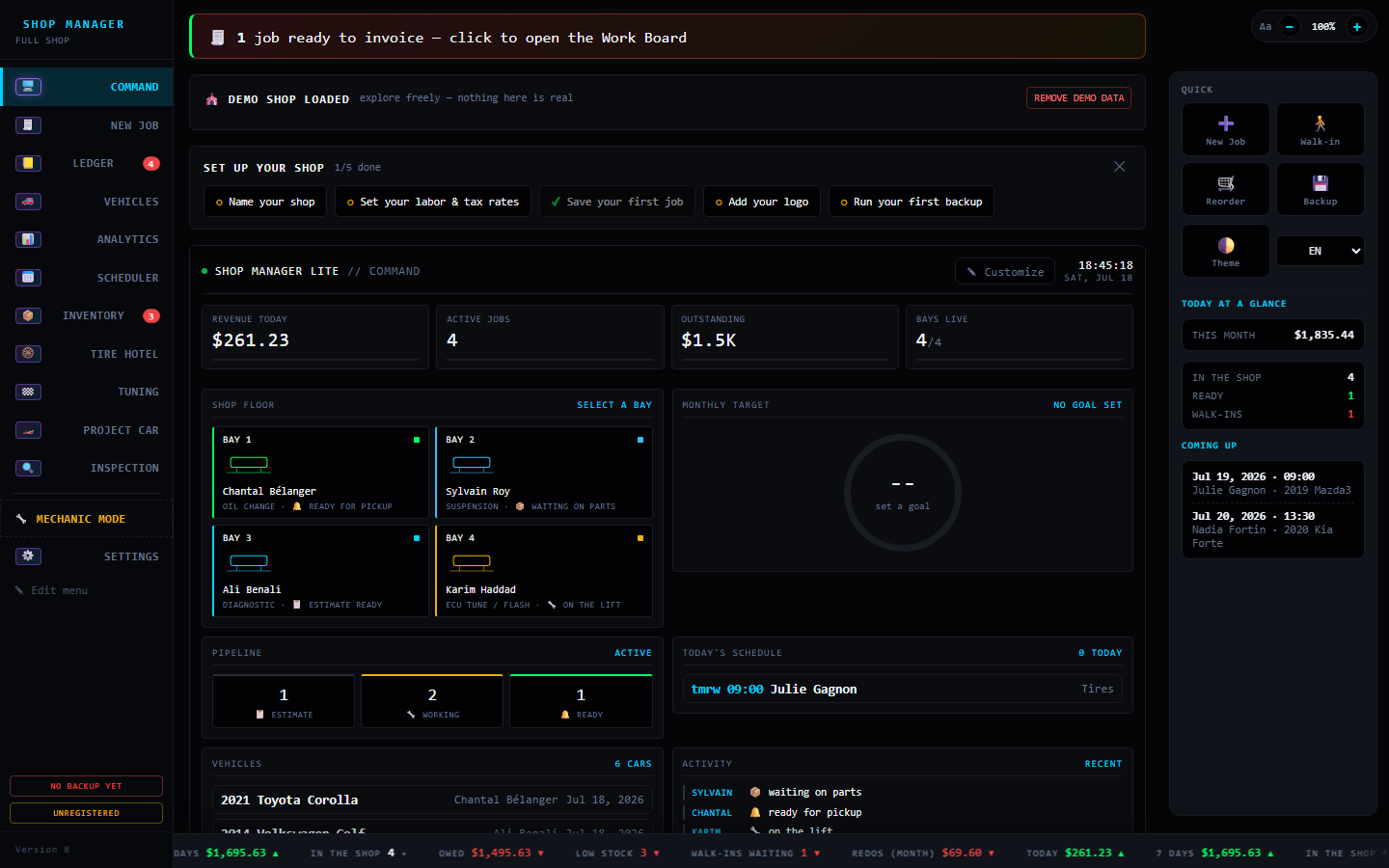
The home screen: live bays, today's money, the job pipeline and tomorrow's bookings — the whole shop at a glance.
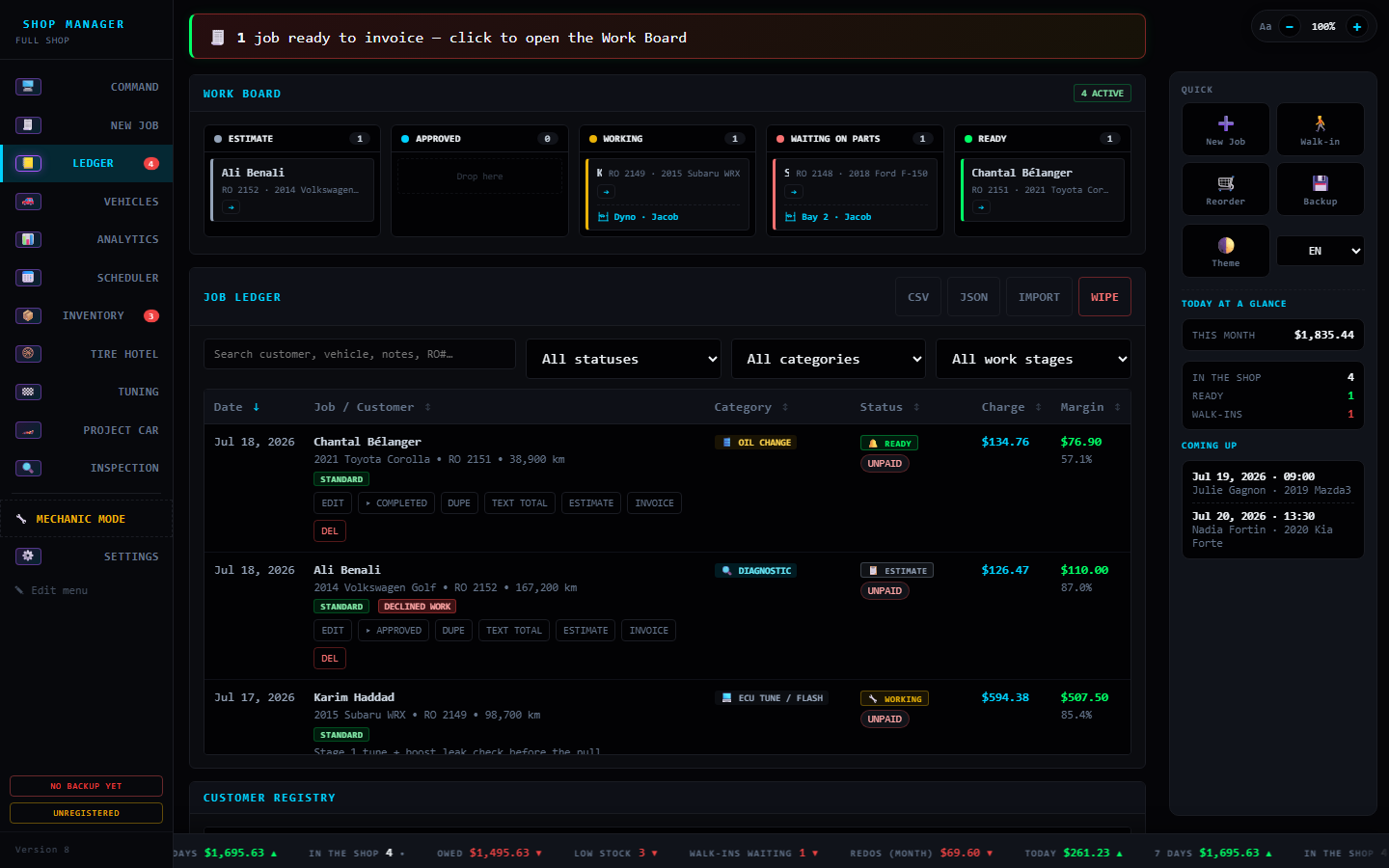
Drag jobs between stages, then find any job ever written — payment status, balance and margin on every row.
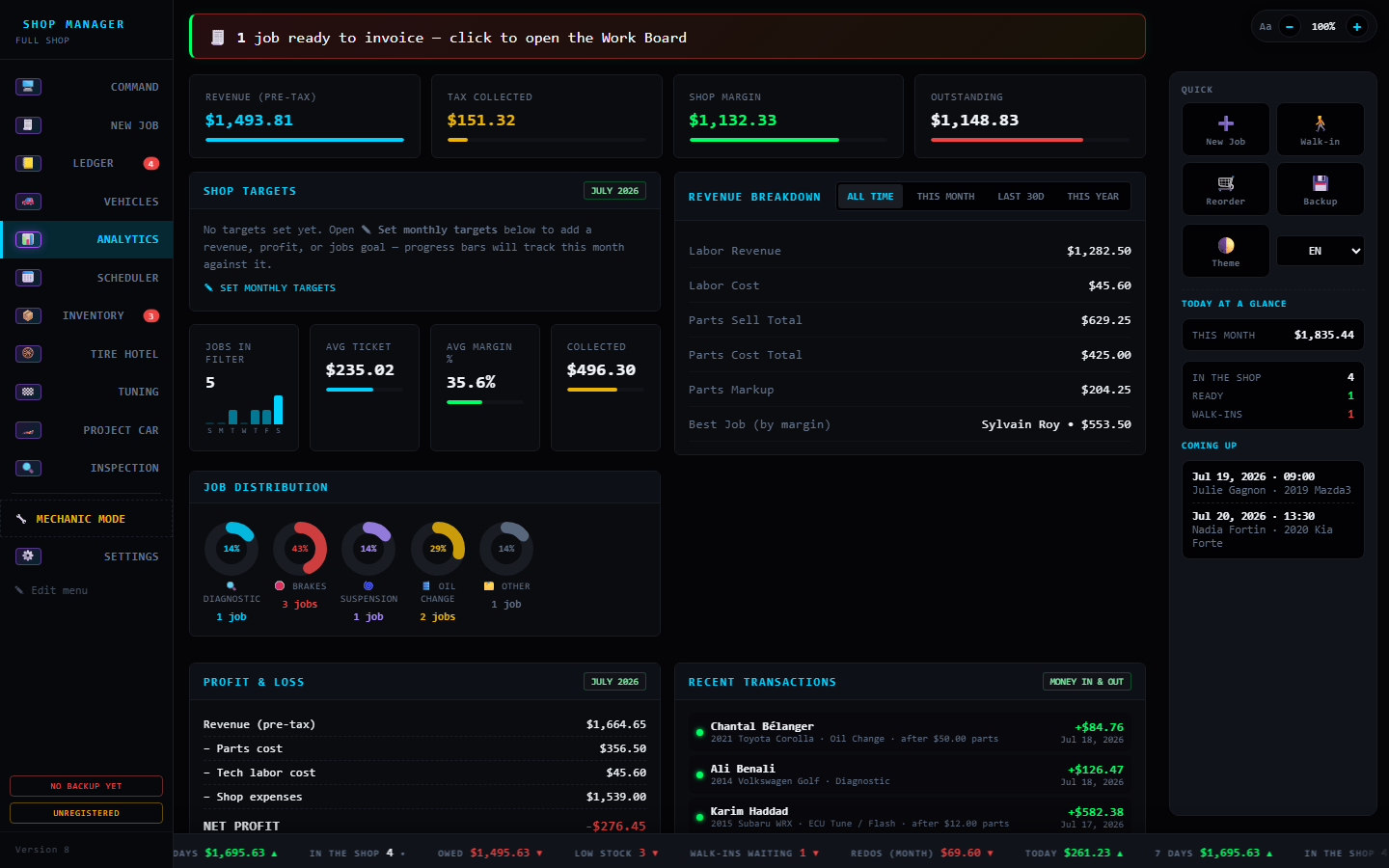
Revenue, margins, job mix and a real P&L with expenses — it never hides a loss from you.
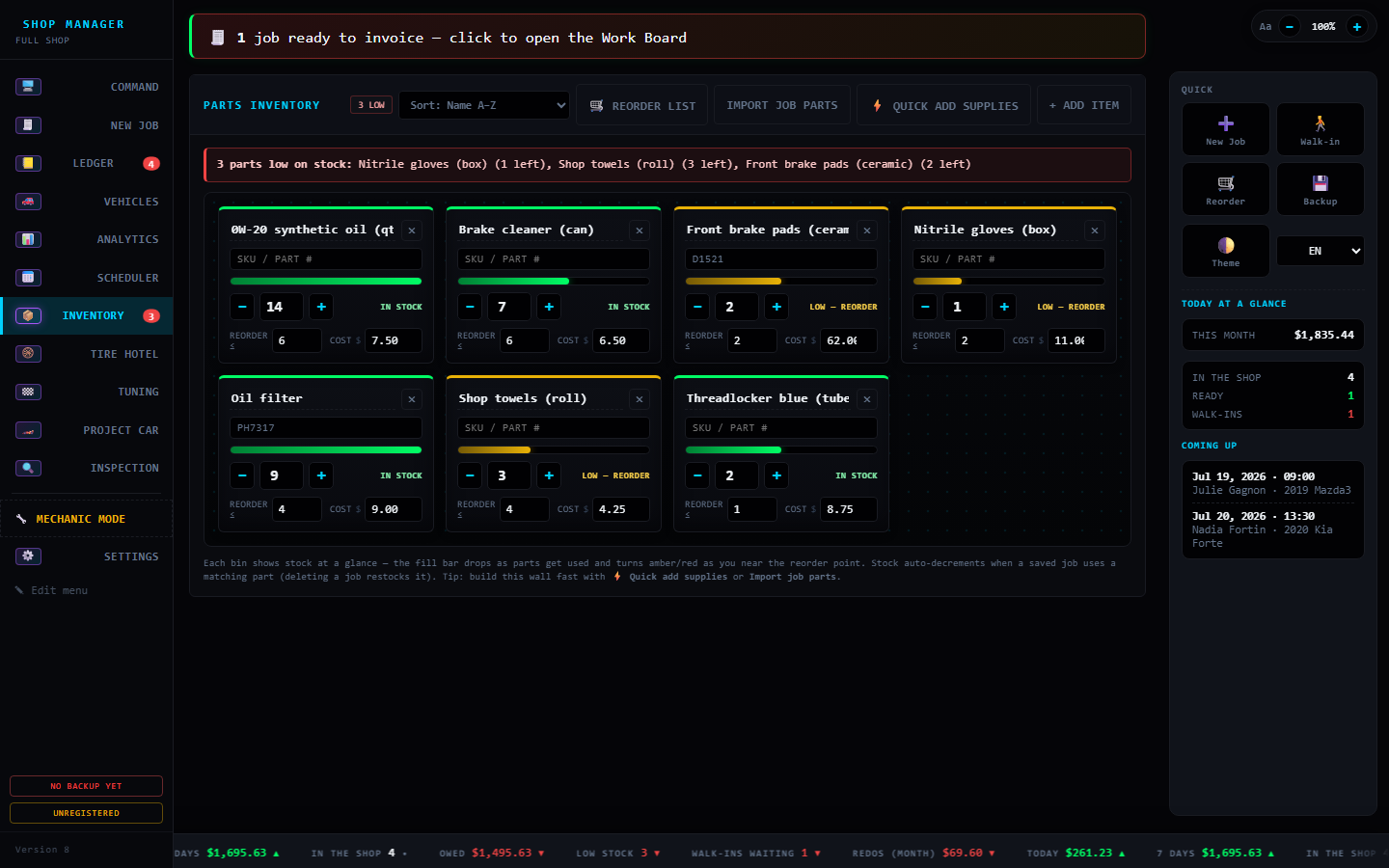
Parts as bins on a wall with live fill gauges — stock drops as jobs use parts and warns before you run out.
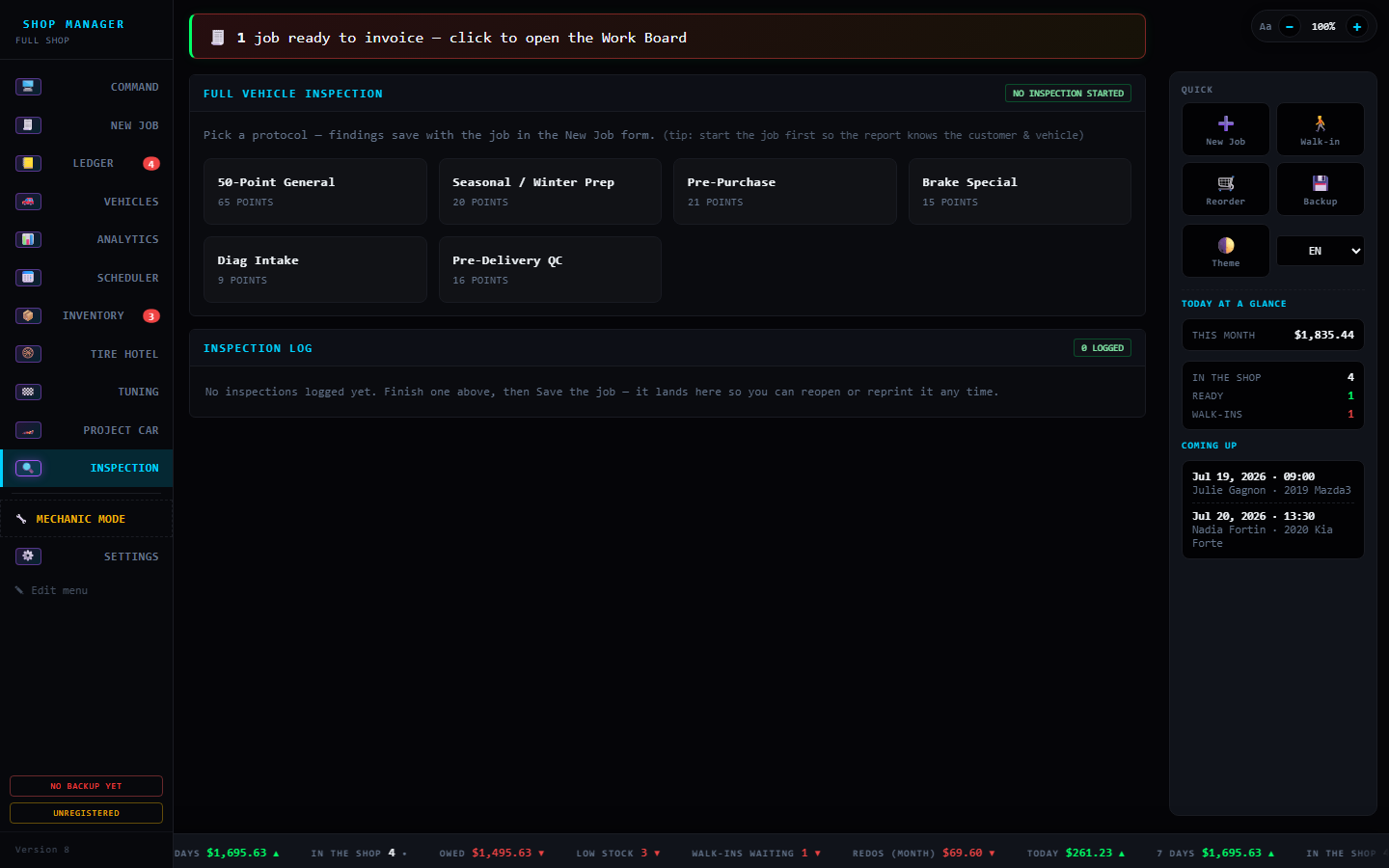
Six inspection protocols, from a 50-point general to a brake special — every finished inspection lands in a log you can reopen or reprint.
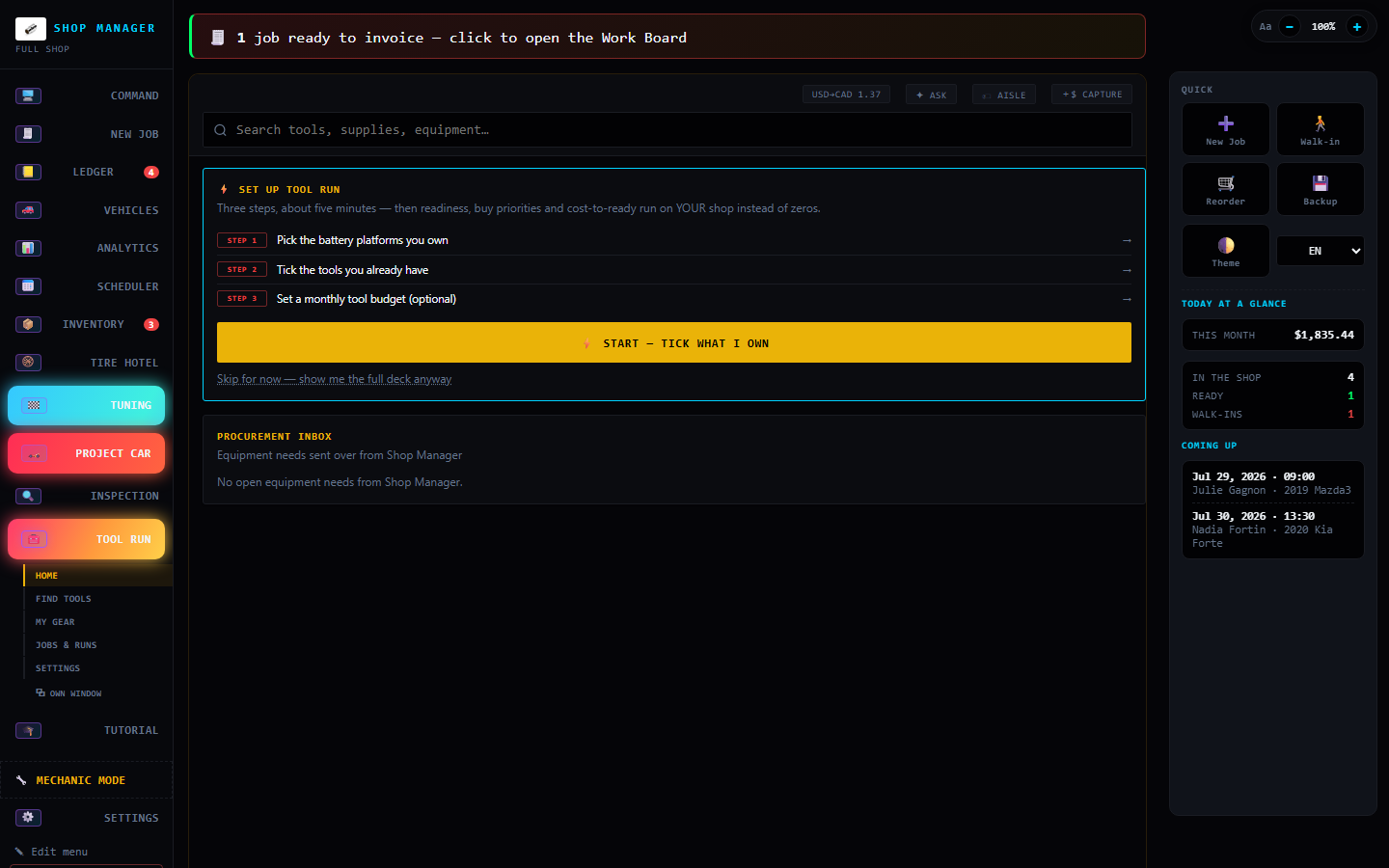
Your tools as a system, built into the app: what you own, what a job is missing, what it costs to be ready — priced only from figures you entered.
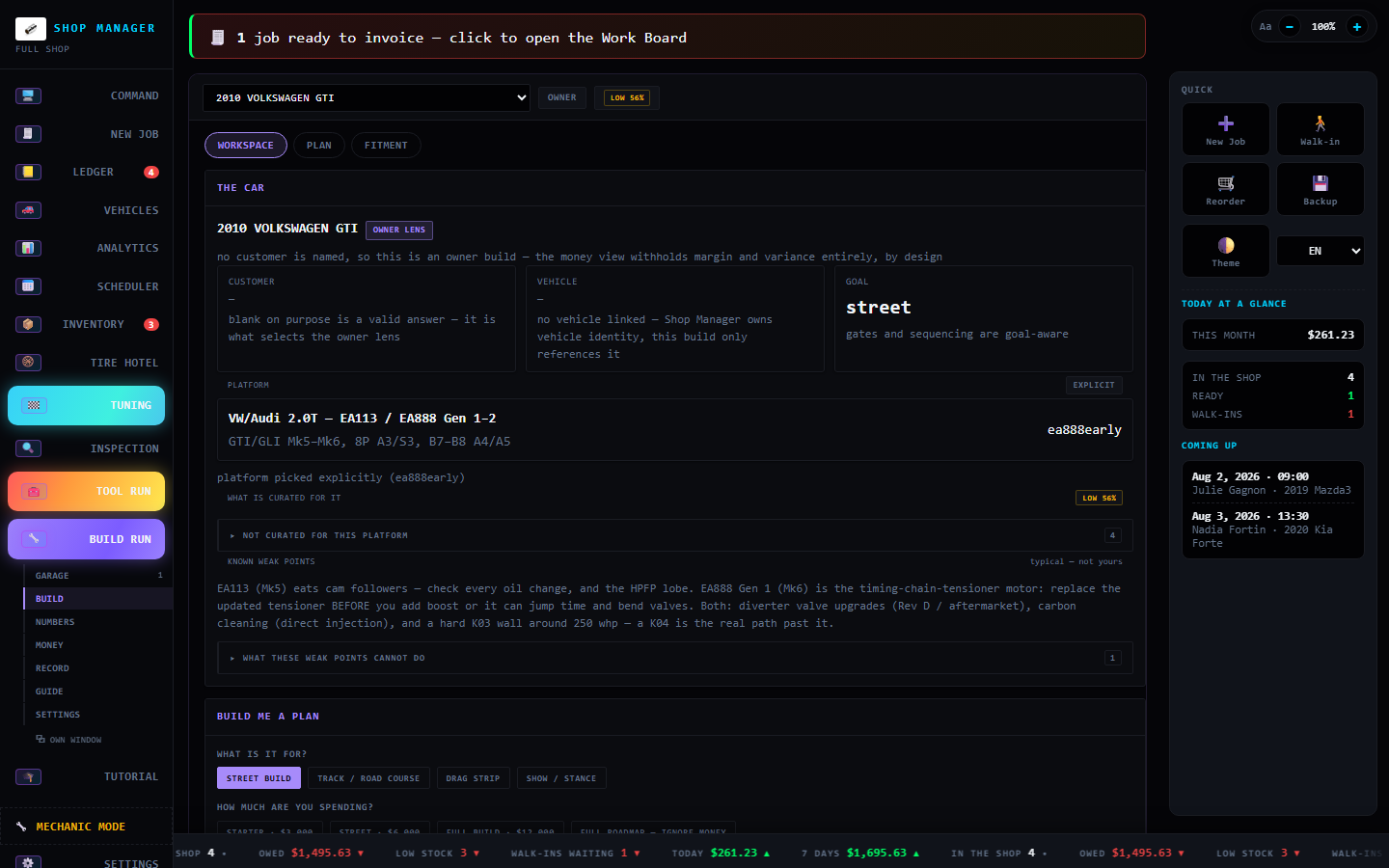
The project-car builder: name the car and the budget — it knows the platform, says its weak points out loud, and plans the build in the right order.
Shot on the shipping build in Demo Mode — sample customers, no real shop data. One click removes the demo shop when you start for real.
| ProTech Shop Manager | Typical cloud shop software (Shopmonkey · Tekmetric) | |
|---|---|---|
| What you pay | Once, up front | A subscription every month — forever |
| Contract | None — no lock-in | Monthly or annual commitment |
| Where your data lives | On your PC, in your shop | On their cloud servers |
| Works with no internet | Yes — fully offline | Cloud-dependent — core features generally need the vendor's servers reachable |
| If they raise prices or shut down | Keeps running — it's already on your machine | Access generally depends on the vendor staying up and your subscription staying active |
| Setup | Double-click the installer, start writing jobs | Account setup, onboarding calls, data migration |
| AI estimates | Built in and offline (AI edition) — no per-message fees | Higher tier or a paid add-on, cloud-only |
| Shop floor + invoicing + dyno | All included, one price | Often split across pricing tiers |
What it isn’t: a repair-information service. ProTech ships no labor guides, wiring diagrams or OEM procedures — if you rely on Mitchell1 ProDemand, ALLDATA or Identifix for that, keep them. This runs the business side of the shop: jobs, estimates, invoices, parts, inspections and the money.
Built for the solo shop and the small crew — everything you need to run the day, none of the monthly bill. Not a knock on the big platforms; a different deal for shops that just want to own their tools. Comparison reflects typical cloud shop-management platforms as of July 2026 — check each vendor for specifics.
Not a mockup — this is an actual build living in the app: a 2010 GTI, planned to a $10,000 street goal, with every part, price and estimated gain tracked as the build comes together. Today this build lives in Build Run, the module the tour shows below.
| Part | Cost | Est. gain | Status |
|---|---|---|---|
| Stage 1 tune (APR / Unitronic / Revo) | $625 | +40–60 whp | Installed |
| Cold-air intake + high-flow filter | $400 | +5–15 whp | Installed |
| Cat-back / axle-back exhaust | $900 | +5–15 whp | Installed |
| Lightweight crank pulley | $275 | +3–8 whp | Installed |
| 200TW performance tires (RE-71RS / AD09 class) | $950 | grip & braking | Installed |
| Total on the car | $3,150 | 5 parts |
🎯 Stretch goal: the app benchmarks this build against a legendary 9-second GTI — a north star to chase over years, not a promise for a $10k street car. Seeing the gap honestly is the point.
Honest numbers. Those gains are the app's estimates, and they don't simply add up — a Stage 1 tune does the heavy lifting and the bolt-ons layer on smaller wins. ProTech Shop Manager says so on the build sheet and points you at a dyno for the real curve. That's the point: Project Car is a planning tool with a conscience, not a horsepower slot machine.
See how Build Run plans a build →
Real, printable documents the app produces — open one, then hit Print to save it as a PDF. Sample data; your copy carries your shop's branding.
Line items, labor, Québec GST/QST, deposit + balance, payment box and a warranty footer — a Stage 1 install on the GTI above.
Open the sample →
🔍A digital vehicle inspection with green / yellow / red ratings, real measurements, notes and a "what to do now vs. soon" summary.
Open the sample →
Jobs, mods, inspections and dyno pulls hang off the vehicle itself — VIN-matched once, never re-typed.


The project-car module keeps a car's whole history as a log — planned, ordered, installed, tuned, broke, replaced — and works everything else out from it. Below: a faithful recreation of two of its screens.
Eleven working views — click through what a day looks like inside the app.
Founders pricing ends August 16, 2026 — for the first shops on board. You help shape the product; your price stays yours for good. Standard MSRP applies after that.
One-time purchase — no mandatory subscription, and the app never stops working. Prices in CAD; applicable taxes extra. Your license key registers your copy and its tier: activate once, then fully offline.
No email app on this PC? Write to nuneztavarezjacob927@gmail.com with the tier you want.
One Setup.exe, double-click, done — Start-menu & desktop shortcuts, no admin password. The straightforward choice for the everyday shop PC. ≈130 MB
Read the guide →
🧳No install, nothing added to Windows. Unzip and run App.exe from any folder or USB stick — delete the folder and it's gone. ≈200 MB
Read the guide →
🤖The installer with offline AI baked in: Smart Estimates work day one — no API key, no internet, no monthly cost. Ships as three files. ≈2.2 GB
Read the guide →
Same app in all three — every feature, fully offline, your data on your machine. The only difference is how it arrives and whether the AI engine is pre-installed.
Enter your license key to get your downloads
Don’t have a key yet? See pricing & how to buy →
Not sure which one? Compare the three editions — each has its own guide page.
More questions — running on several PCs, the AI setup, backups → see the Help page
The Garage stops being a side ledger: the day a car sells, its gain or loss lands in your P&L, your take-home and your monthly profit goal — which tells you how much of the goal came from vehicle sales instead of blending it in. Because parts bought on your own car's jobs already counted as internal spend, a car in the Garage now capitalises those costs instead of expensing them, so the same dollar is never subtracted twice; work done before you bought the car stays exactly where it was. A new line keeps the money you have tied up in unsold cars visible, losses read as losses, and your shop's own figures — revenue, margins, average ticket — never move because a flip sold.
The Garage ledger closes the loop the Vehicles registry opened: mark a car as the shop's own and every dollar accrues against it — purchase, parts bought through its jobs, the build's installed mods, your own hours at each job's real rate, insurance and plates — with a "before ProTech" line for cars you've owned for years. The app computes every line and shows its figure, but your typed number wins and sticks. List the car and see what you'd clear at asking before the ad goes up, then close it out sold, traded in, parted out or totaled — the verdict is one true number, and a loss prints red instead of hiding. One tap prints a price-free records pack for the buyer, consignment books your cut through a normal job, and the day a car leaves, its service reminders stop while the record stays. None of it touches the shop's P&L — the asset book is its own book.
Build Run plans a car's build to a budget and a goal, keeps the garage, and shows what each stage really costs — every figure carrying its evidence, and staying blank rather than inventing a number it can't stand behind. ProTech Budget opens in its own PIN-gated view from the sidebar or Ctrl+K, with the same rule as everything else: it stays on your machine. The parts table now reads a sentence — type "four pads and four rotors, 270 for the parts" and it fills in, splitting the price across the parts in whole cents from what they cost you before, and never overwriting a cost you typed. Money fixes: a negative tax rate could hand money back, and hand-typed totals and margins now round where you enter them. Each PC also holds its own licence seat, so two activations at once can no longer overwrite each other.
Every money figure now costs a job the same way — Analytics, the P&L, the CSV export and the internal-work panel can no longer disagree once a supplier receipt is entered, and internal jobs stop reading as losses anywhere. Parts Run makes the parts table remember what a part cost you last time and show the evidence behind the number: a real receipt beats a typed guess, thin history says it's thin, and it stays quiet when it has nothing honest to say. Tool Run is rebuilt around four rooms instead of nine screens, opens with a two-minute setup instead of a wall of zeros, and adds Aisle Check (a shelf-price verdict in ten seconds, offline), the Payday Planner and a Loan Board. Readiness stopped lying — owning only jack stands no longer reads READY to lift a car. And updating is one tap: the app hands you the installer instead of a download page to hunt through.
One family, one name: the suite is now ProTech Shop Manager and its tool module is ProTech Tool Run. The Readiness Center shows every kind of job as an instrument card — what you own, what's missing, and the cost to be ready from your own prices — with custom job types, pack lists for loading the truck, a ranked Next Best Buy, and Ledger jobs that warn when required tools are missing. Tool Run now wears the family look: mono type, live theme-follow, EN/FR/ES.
Tool Run becomes a full procurement brain: every tool gets one true identity (kit vs bare, older generations flagged), deals are rated against your own price history — never invented — kits get broken into honest math, battery platforms show their true entry cost, and a readiness simulator tells you which jobs your Arsenal can actually take on.
Two PCs, one shop: point both computers at a shared network folder and they stay matched live — no USB run, no restart. Plus everything in Version 8 · The Trackday Update: 42 tuning platforms, 33 legend builds, Garage Chat and four new themes.
Pay once, own it, and keep every job on your own machine. Download it and write your first job today.